To login into your ICICI Bank account make sure that you have your Internet Banking UserID & Password. After that follow the below steps to login into your ICICI Bank account
Step 1: Go to www.icicibank.com & then click on Login at the top (or) directly click the below ICICI bank link – https://infinity.icicibank.com

Step 2: Enter the UserID & Password in the next page & then click on the Login button
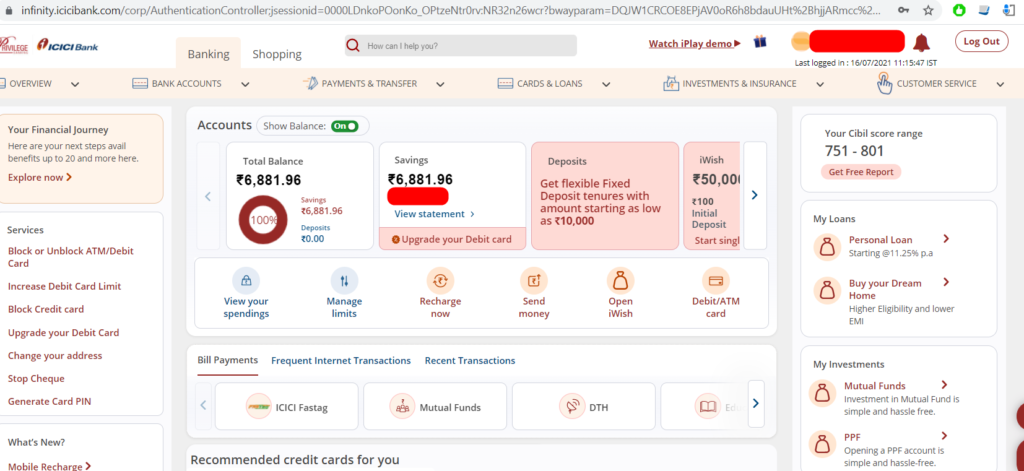
Step 3: Then you will be able to see the Dashboard page on ICICI Bank as shown below with all the details including your ICICI Bank account balance and Deposits if you have any.

Shan is an expert on on Employees Provident Fund, Personal Finance, Law and Travel. He has over 8+ years of experience in writing about Personal Finance and anything that resonates with ordinary citizens. His posts are backed by extensive research on the topics backed by solid proofs