Once you are married, you may need to update your marital status in the EPFO Member UAN portal, so the PF Member benefits can be availed by your spouse. To change the marital status in the EPF UAN portal, follow the below steps…
Update Marital Status in the UAN Profile
- Login into the UAN portal
- Click on “View” and then click on “Profile” from the Dropdown

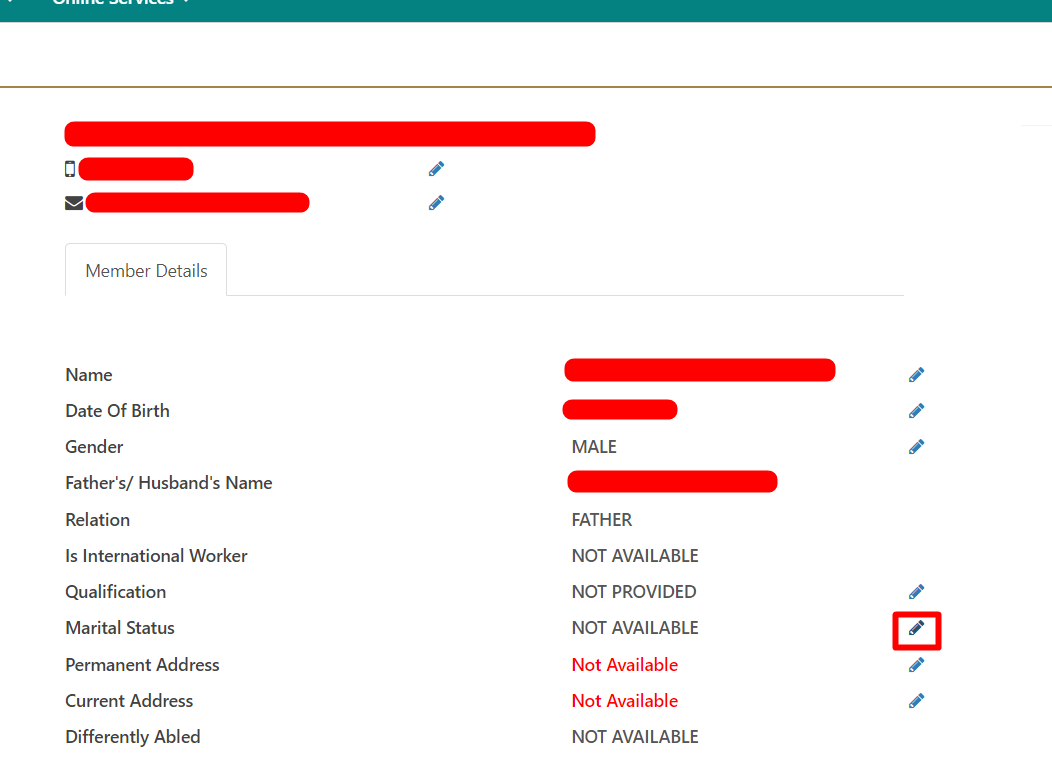
- Click on the “Edit” icon next to the Marital Status
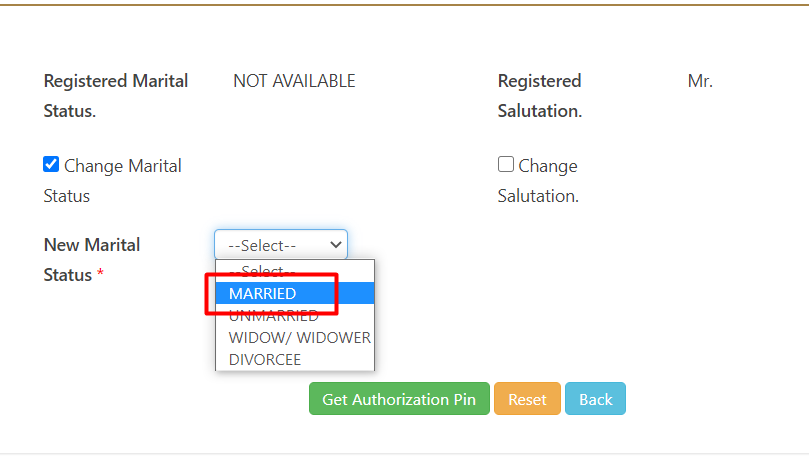
- In the next screen, click on “Change Marital Status”

- In the drop-down select the status as “Married” and click on “Get Authorization Pin”
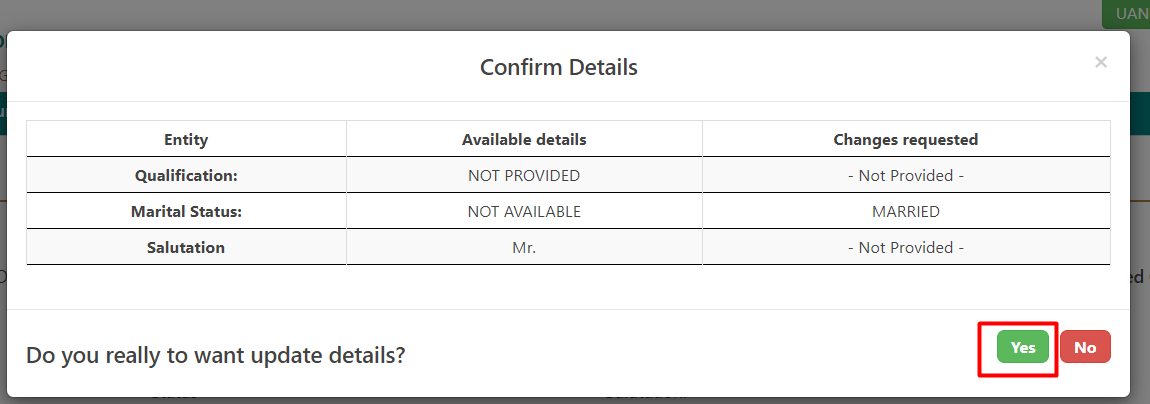
- In the next screen after verifying the changes requested, click on “Yes”
- Enter the OTP Received on your mobile number and then click on “Save”
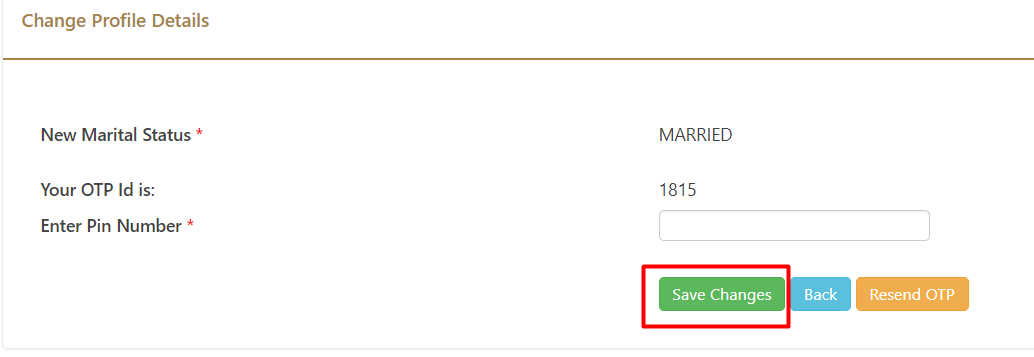
- Once you click on “Save”, the changes will be reflected in the UAN portal.